Invoice Templates
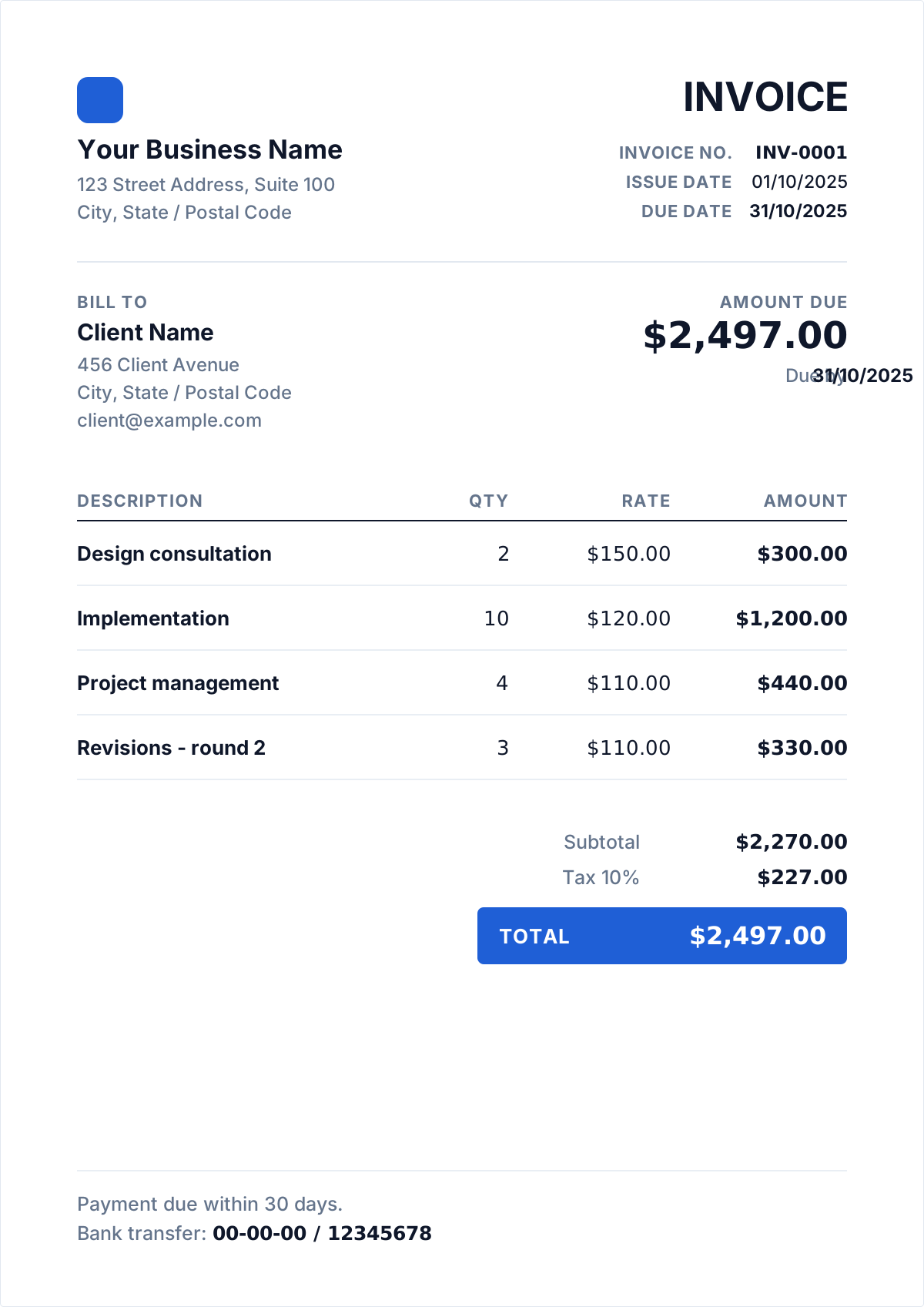
Free invoice templates you fill in online and download as a PDF — no Word file to reformat, no spreadsheet formula to get wrong. Every template uses the same calculation engine, supports your logo and international currency formatting, and prints cleanly.
 Create your free invoice
Choose a layout
Templates by profession
The same generator, with guidance on how your trade actually bills — what belongs on the invoice, how to handle deposits and extras, and what tends to hold up payment.
Freelancer Invoice Template
Free freelancer invoice template. Bill by the hour, day, project or milestone, add a deposit and late fee, then download the PDF. No signup.
Consultant Invoice Template
Free consultant invoice template for retainers, day rates and project phases. Handles expenses and disbursements, then downloads as a PDF. No signup.
Contractor Invoice Template
Free contractor invoice template for trades and construction. Progress billing, labour and materials split, retention and variations. Download as PDF.
Service Business Invoice Template
Free invoice template for cleaning, landscaping, salons, repair and agencies. Recurring and per-visit billing, deposits and call-out fees. No signup.
Templates by country
Where the invoice itself changes — different mandatory wording, a different tax identifier, different thresholds — it gets its own page with the actual rules rather than a currency swap.
UK VAT Invoice Template
Free United Kingdom invoice template with VAT handled correctly. Everything GOV.UK requires on the document, then download the PDF.
Canadian Invoice Template
Free Canada invoice template with GST/HST handled correctly. Everything Canada Revenue Agency requires on the document, then download the PDF.
Australian Tax Invoice Template
Free Australia invoice template with GST handled correctly. Everything Australian Taxation Office requires on the document, then download the PDF.
What makes an invoice legally valid
An invoice is a demand for payment, and in most countries it only does that job if it carries a specific set of facts. The exact list varies by jurisdiction, but the core is remarkably consistent: whoever is being asked to pay has to be able to identify who is asking, what for, how much, and by when — and a tax authority has to be able to reconstruct the transaction years later.
- A unique invoice number. Not a date, not a client name — an identifier that appears once across your entire history. This is what makes an invoice traceable in a ledger.
- The issue date, and separately the due date. "Net 30" is a term, not a date; write the actual date the money is expected so there is nothing to interpret.
- Your full legal or trading name and address. A trading name alone is usually not enough if it differs from the registered entity.
- The buyer's name and address. For business clients, use the registered entity name rather than the person you deal with, or the invoice will not match their records.
- A description of what was supplied, itemised enough that someone who was not in the room can tell what they are paying for.
- The amount due, the currency, and any tax shown as its own line with the rate stated.
- Your tax registration number where you are registered — ABN in Australia, VAT number in the UK and EU, GST/HST number in Canada.
The word “Invoice” should appear on the document. It sounds trivial, but several tax regimes — Australia's among them — treat the label itself as a requirement, not a convention.
How invoice numbering actually works
Numbering is the part people improvise and then regret. The rule almost every tax authority applies is the same: numbers must be sequential and unique, with no gaps you cannot explain. A gap looks like a deleted invoice, and a deleted invoice looks like unreported income.
- Sequential, not random. INV-0001, INV-0002, INV-0003. If you void one, keep the number and mark it voided rather than reusing it.
- Zero-padded. INV-0007 sorts correctly next to INV-0070; INV-7 does not. Pick a width you will not outgrow.
- Per-year prefixes are fine — 2026-001 — as long as the sequence within the year is unbroken.
- Per-client sequences are usually a mistake: they make your own books harder to audit, and they tell a client how much work you do.
- Never restart the sequence when you change accounting tools. Continue from where you left off.
If you have already sent invoices with inconsistent numbers, do not renumber them retroactively — the client's records reference the old ones. Start the clean sequence from the next invoice.
Invoice, quote or receipt — which one you need
These three documents get used interchangeably and they are not interchangeable. Each marks a different moment in the transaction, and sending the wrong one either fails to create an obligation or fails to prove one was met.
- A quote (or estimate) comes before the work. It is an offer, not a demand, and it creates no obligation to pay. Give it an expiry date, because your costs will move.
- An invoice comes after the work, or after an agreed milestone. It creates the obligation: it says a specific amount is owed by a specific date. This is the only one of the three that chases money.
- A receipt comes after the money. It proves payment was made and is what a client files for their own tax return. An invoice marked "Paid" usually serves as one.
- A proforma invoice is a quote formatted like an invoice — common for deposits and international shipping. It is not a tax invoice and should never be numbered in your invoice sequence.
If you are asking to be paid, you need an invoice. If you are confirming you were paid, you need a receipt. If neither has happened yet, you need a quote.
Which layout to pick
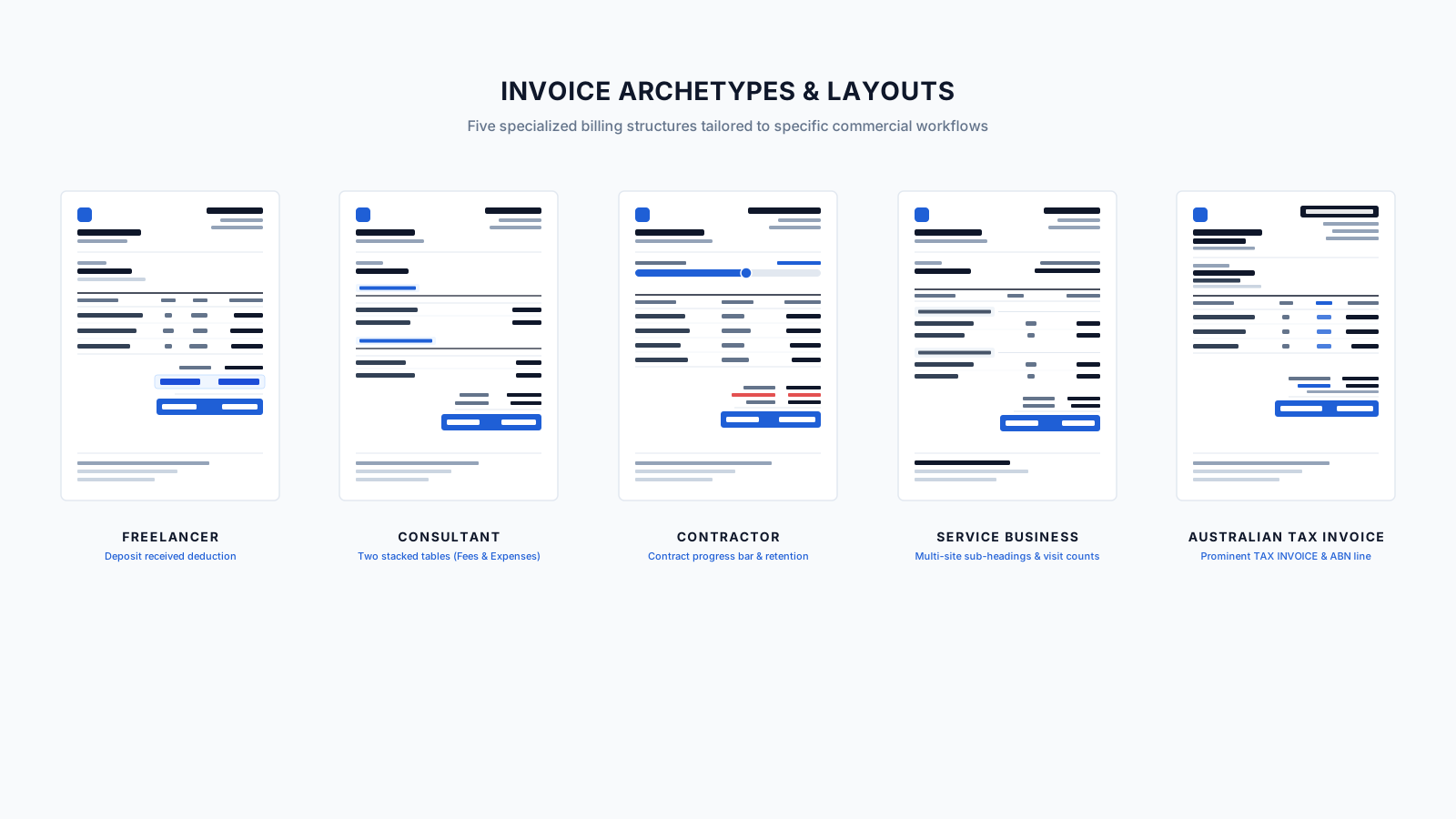
All five produce the same compliant document. They differ in how the work is billed and what has to stay visible on the page — which is the only thing worth choosing on.
| Template | Billed by | What it adds | Pick it if |
|---|---|---|---|
| Freelancer | Hourly, day rate, fixed fee or milestone | Deposit already deducted; late-fee wording | You bill your own time to clients with no payroll relationship to you |
| Consultant | Retainer, day rate or project phase | Expenses and disbursements shown separately from fees | You bill for advice and need pass-through costs to stay visibly distinct from your rate |
| Contractor | Progress claims against a contract value | Labour and materials split; retention and variations | You invoice in stages against an agreed total, and someone is holding retention |
| Service business | Per visit, per job or recurring | Call-out fees; repeat schedules; multiple sites | You serve the same customers repeatedly and bill small amounts often |
| Australian tax invoice | Any of the above, under ATO rules | The words “Tax invoice”, ABN, GST shown per line | You are registered for GST in Australia and the invoice must satisfy the ATO |
Frequently asked questions
Are these invoice templates free?
Yes. Every layout here is free to fill in, download and print, with no watermark and no cap on how many invoices you create. Paid plans add custom colours, custom fields and saving invoices to an account, but the templates themselves are free.
Do I need Word or Excel to use these templates?
No. These are not files you download and edit — you fill the invoice in here in your browser, see it build as you type, and download the finished PDF. That removes the two things that go wrong with Word and Excel invoice templates: broken formatting when the client opens it, and arithmetic errors in the totals.
Which invoice template should I choose?
For most work the layout matters less than the content, so pick the one that suits your brand: Modern for a clean contemporary look, Classic for a traditional business document, Minimal when you want the numbers to do the talking. All three carry the same fields and the same calculations. If you want guidance on what to put in them, use the template page for your profession.
Can I put my own logo and colours on the invoice?
Your logo, yes, on any template and on the free plan — it is read by your browser and embedded in the PDF, never uploaded. Custom colours and fonts are part of the paid plan.
Do these templates work outside the United States?
Yes. Currency, date and number formatting follow the locale you choose, and the tax label is editable so it can read Sales tax, VAT or GST. For countries where the invoice itself has different legal requirements, use the country template — the Australian tax invoice page covers the ATO's rules on the “Tax invoice” wording, ABNs and GST.